OriginCheckAI logo OriginCheckAI
Trusted by 1M+ Students Worldwide

Turnitin Plagiarism Checker
& AI Detection Service

OriginCheckAI works as a Turnitin checker online for students who need a reliable pre-submission review: start with a free AI-risk estimate, or order a no-repository similarity report plus AI writing detection PDF.

99.9%Accuracy Rate
1M+Documents Checked
3 minAverage Speed
24/7Service Available
OriginCheckAI / Live Report Console
Similarity & AI Writing Report
Official format · No Repository · PDF download
18%Similarity
7%AI writing
14Matched sources
Next phase Report
Report Anatomy

From Score to Source,
Read the Evidence Fast

The PDF separates the headline score from the evidence behind it: matched sources, highlighted passages, AI-writing indicators, excluded quotes and bibliography, and a downloadable record in your account.
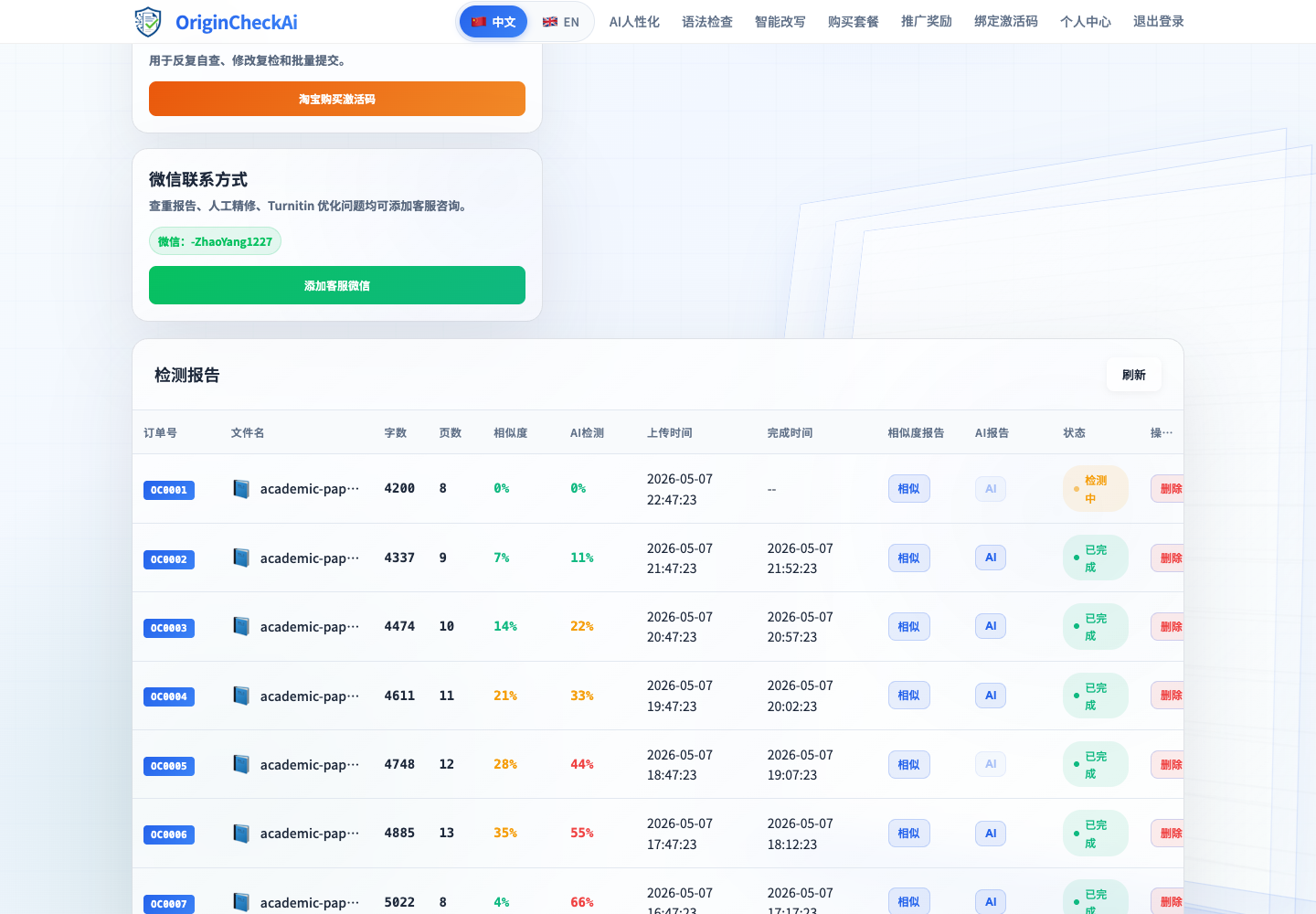
Report Anatomy Score summary, source list, highlights and PDF export in one view.
PDF
Score summarySimilarity and AI writing score for quick review.
Evidence trailMatched source list and highlighted passages for revision decisions.
Download recordCompleted reports remain available from your account history.
OriginCheckAI report preview
Next phase Privacy
No Repository Storage · Zero Trace

Check Before Submission,
Without Storing Your Paper

OriginCheckAI uses No Repository mode. Your document is not added to searchable databases, and uploaded files are automatically deleted after processing.

256-bit EncryptedEncrypted upload channel before report generation.
Auto DeleteUploaded files are removed after processing.
Safe to SubmitNo Repository mode keeps your paper out of databases.
0
Next phase Flow
Three Simple Steps

Buy Credits,
Upload Paper, Download Report

Credits purchased from the Online Shop are added to your account. When your credits are available, open the upload page, start checking, and download the finished report from your order history.

1
Buy creditsUse Online Shop, WeChat service or Taobao channel.
BUY
2
Upload documentUpload PDF, DOC or DOCX after credits arrive.
SCAN
3
Download reportReceive similarity and AI detection reports.
PDF

queue.orderOC-260524-1842

average.speed03:00

status.feedwaiting for similarity report

Next phase Writing
AI-Powered Writing Assistant

After Checking,
Revise with Academic Tools

Use AI Humanizer, Grammar Check and Smart Paraphrase after reviewing your report. The tools help make writing more natural, correct errors and refine academic expression.

AI HumanizerPreserve meaning, improve naturalness and support multiple languages.
Grammar CheckGrammar and spelling correction across 50+ languages.
Smart ParaphraseRewrite with academic style while keeping the original meaning.

Input draft

The research indicates that algorithmic systems have significantly transformed academic writing workflows.

AI-like phrasinglong sentencegeneric transition

Humanized output

Recent studies suggest that algorithmic tools are reshaping how students plan, revise and verify academic work.

natural tonesame meaninglower similarity
Revision Confidence86%
Next phase Agents
Agent Network · API Access

Agent Cooperation,
API Access and Dashboard

Agencies, platforms, and suppliers can connect through the partnership page, API documentation, and agent dashboard for long-term checking workflows.

Next phase FAQ
Frequently Asked Questions

Common Questions
Before Checking

Key answers before you upload: report consistency, privacy mode, processing time, AI detection, supported formats, and downloads.

How long does plagiarism checking take?Most documents complete within about 3 minutes. Complex documents may take 5-10 minutes.
Can OriginCheckAI detect AI-generated content?Yes. The report identifies writing generated by ChatGPT, GPT-4, Claude, Gemini and other large language models.
What does the report include?Similarity score, AI writing score, source matching, highlighted passages and downloadable PDF reports.
What file formats are supported?PDF, DOC, DOCX, TXT and RTF files. Maximum file size is 50MB.
Can I download reports anytime?Completed reports are available from your account order history.
Is it safe before school submission?Yes. No Repository mode is designed for pre-submission self-checking.
Next phase Purchase
Purchase Channels

Choose a Purchase Channel,
Then Start Checking

Online Shop credits are delivered automatically. WeChat support helps with service questions and bulk purchase. Taobao is available as an alternative purchase channel.

Official purchase path
Credits
Similarity + AI detection report quota

Purchase checking credits once, then use your account balance to generate similarity reports and AI writing detection reports whenever you need them.

1. BuyPurchase credits through a supported channel. 2. CreditCredits are delivered to your account. 3. CheckUpload a document and download the report.
WeChat Service

For manual help, bulk purchase and payment questions.

WeChat: -ZhaoYang1227
Taobao Store

Use Taobao when you prefer domestic purchase and alternative payment methods.

URL loads from admin settings
Back to top OriginCheckAI